The core of Jira and Linear, for a fraction of the price.
A team of 10 pays US$15 a month for Melonhelp Tasks and US$97 for Jira Standard, both billed monthly. Billed annually: US$12.50 a month for Tasks and US$100 for Linear Basic.
Screenshots of the real app, in Spanish, with the sample workspace Ruka Pagos.
What a team of 10 pays, per month
Melonhelp Tasks, Starter plan
US$15
billed monthly
US$12.50 a month billed annually
Jira Standard
US$97
billed monthly, US$9.70 per user
Tasks costs 84.5% less, monthly vs monthly
Linear Basic
US$100
billed annually, US$10 per user
Tasks costs 87.5% less, annual vs annual
Linear Business
US$160
billed annually, US$16 per user
Tasks costs 92.1% less, annual vs annual
Prices from the official pages, checked on October 17, 2026, in US dollars, before taxes. Linear only publishes annual pricing. Jira pricing, Linear pricing.
Heads up: Jira Free costs US$0 for up to 10 users, with everyone as an admin. Linear Free costs US$0 for any number of people as long as you stay under 250 issues and 2 teams.
Calculator
Run the numbers for your team
Pick your team size and how you pay. We compare monthly with monthly and annual with annual, using each tool's published prices.
people
Notes and sources
Jira Free also costs US$0 for up to 10 users, with everyone as an admin.
Linear Free costs US$0 for any number of people, up to 250 issues and 2 teams.
Jira and Linear: published prices, checked on October 17, 2026, before taxes.
10 people: Starter plan, US$15 a month
Melonhelp Tasks, Starter plan
US$15a month
up to 10 people
Jira Standard
US$97a month
10 × US$9.70
With Tasks you pay US$82 less a month (84.5% less). US$984 less a year
Linear Basic / Linear Business
Linear only publishes annual pricing. Switch to annual billing to compare it.
The product
Work from the keyboard. Organize more than software.
Screenshots of the real app, with a sample workspace. The app is in Spanish today.
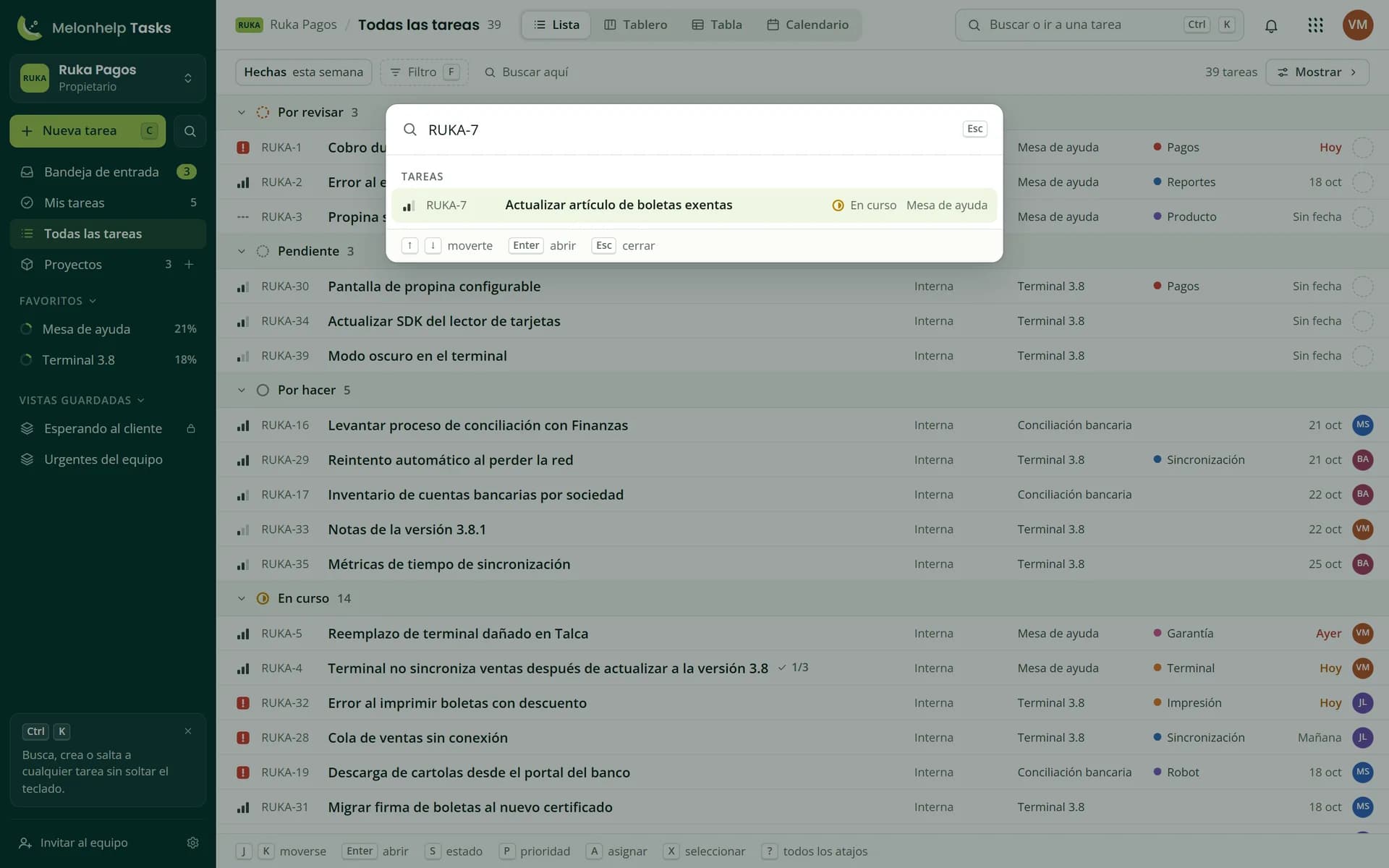
Ctrl K and you're on RUKA-7
Every task carries your workspace key and a number. Find it by number or by text and open it without leaving the keyboard.
CtrlKTry it: Ctrl K, type and press Enter
Tap the search box and type
Ctrl K
Tasks: 6 tasks
RUKA-7Actualizar artículo de boletas exentasIn progress
RUKA-1Cobro duplicado en terminalTo review
RUKA-2Error al exportar libro de ventasTo review
RUKA-4Terminal no sincroniza ventas después de actualizar a la versión 3.8In progress
RUKA-5Reemplazo de terminal dañado en TalcaIn progress
RUKA-11Reembolso parcial a Botillería La EsquinaDone
↑↓moveEnteropenEscback
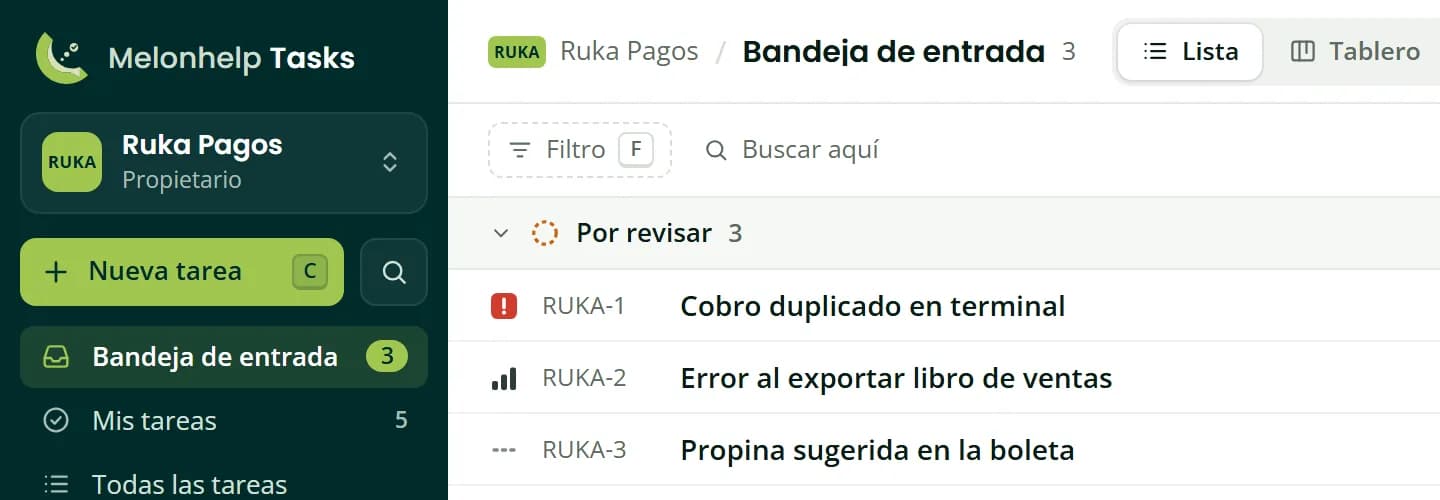
An Inbox to decide what's next
New work lands in To review, from every project. Someone decides what happens and who takes it.
Shortcuts for everything, in bulk too
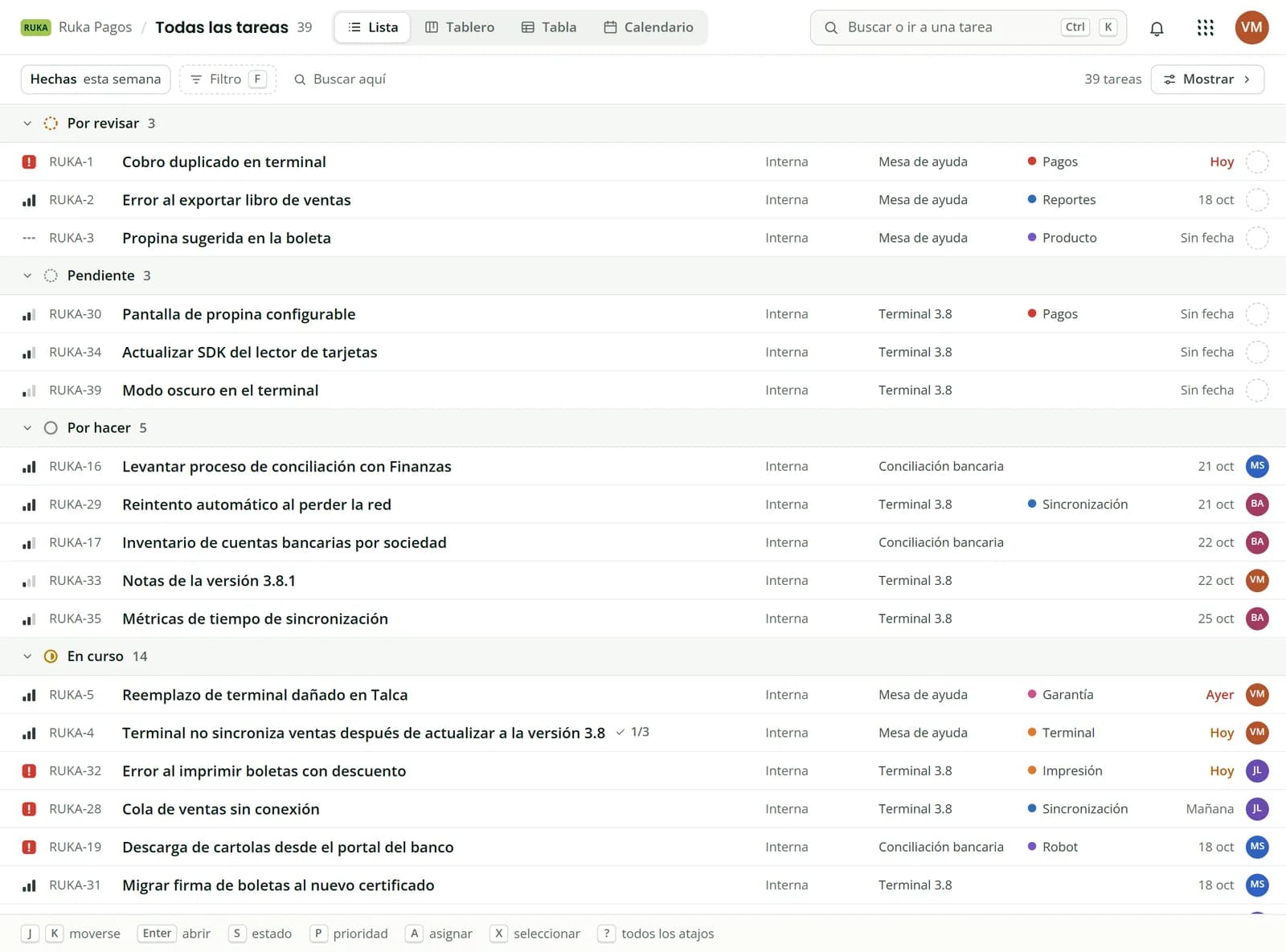
J and K to move, S for status, A to assign. Press X to select several and change them at once.
Four views on every plan
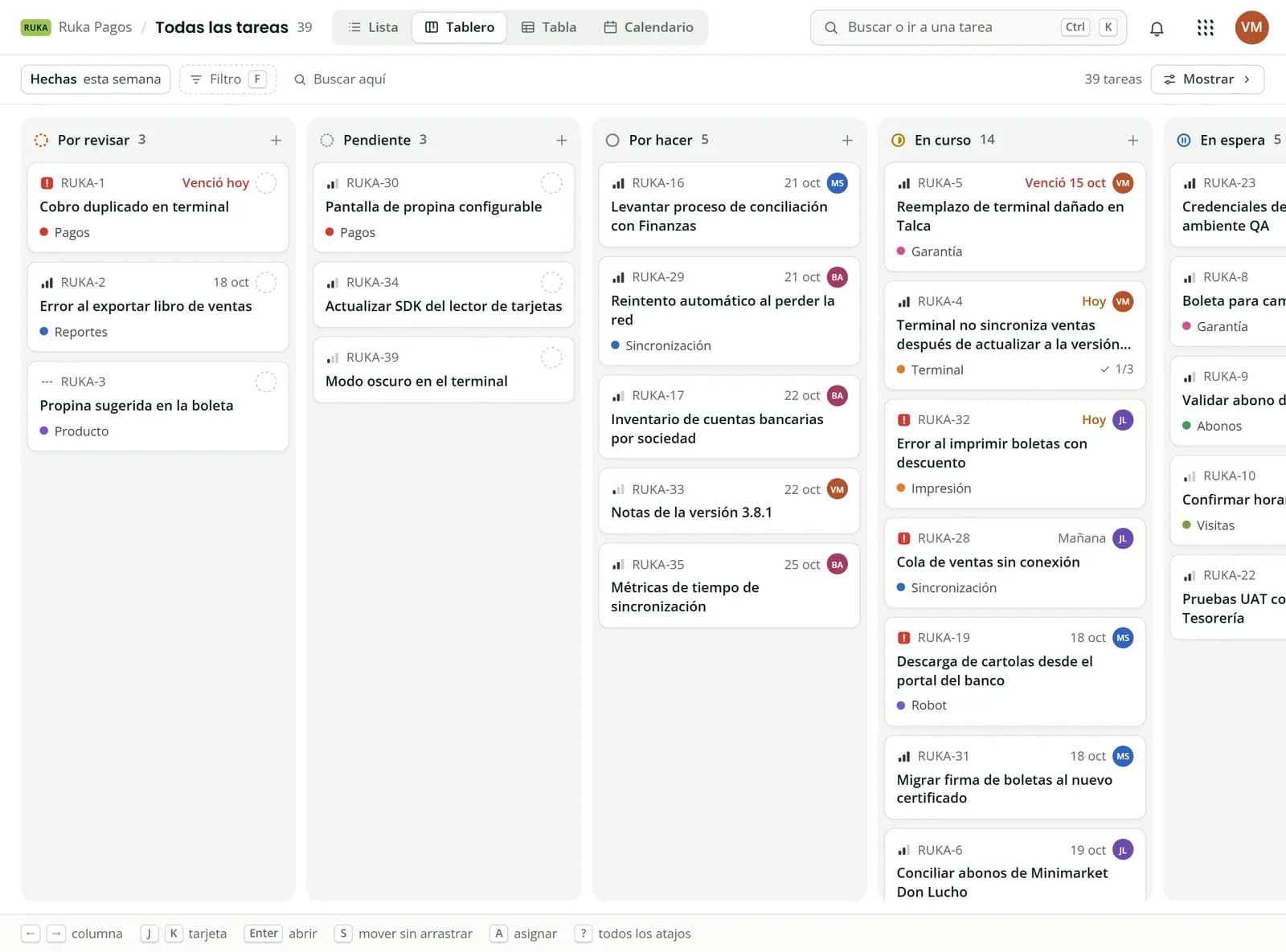
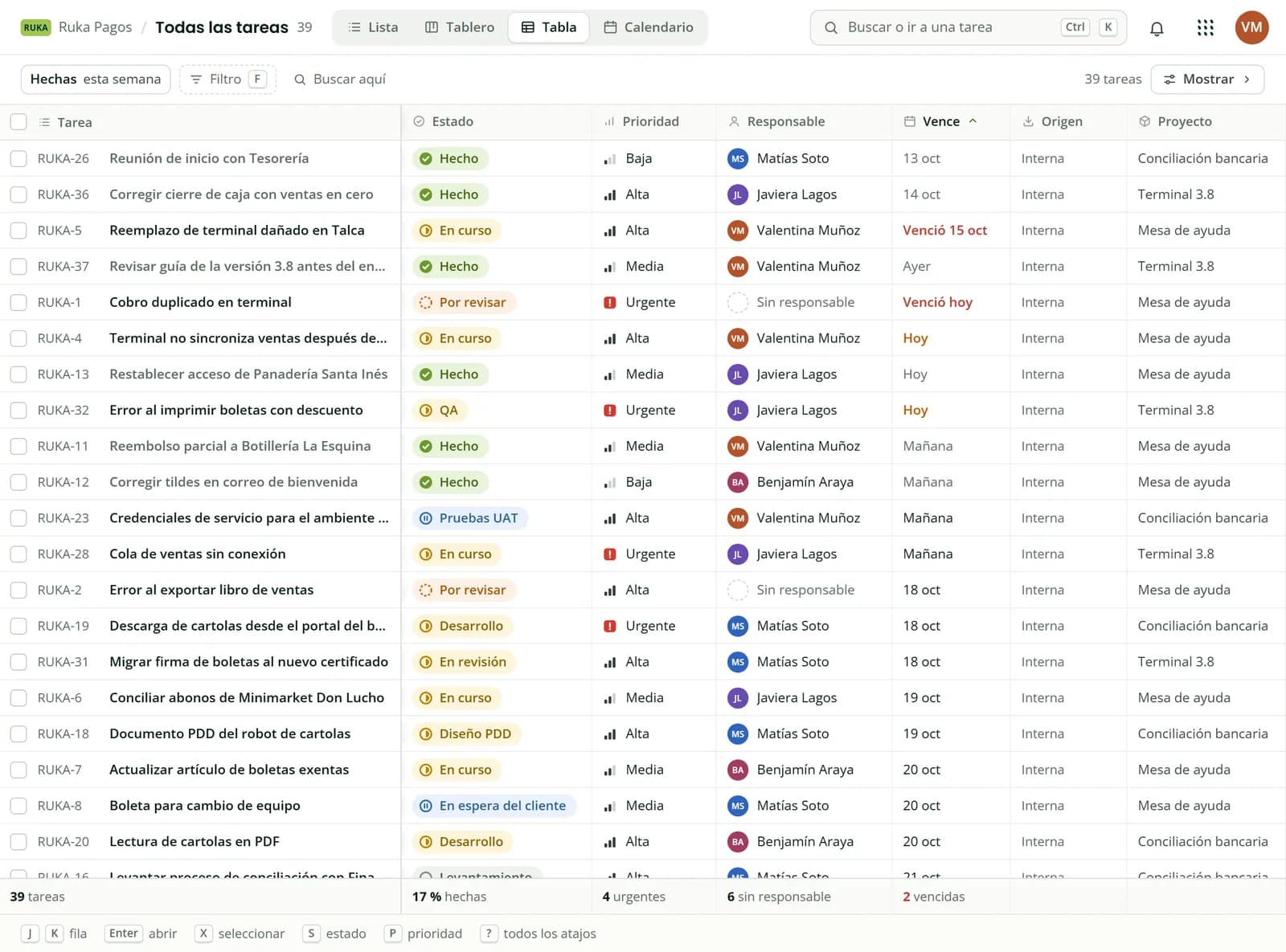
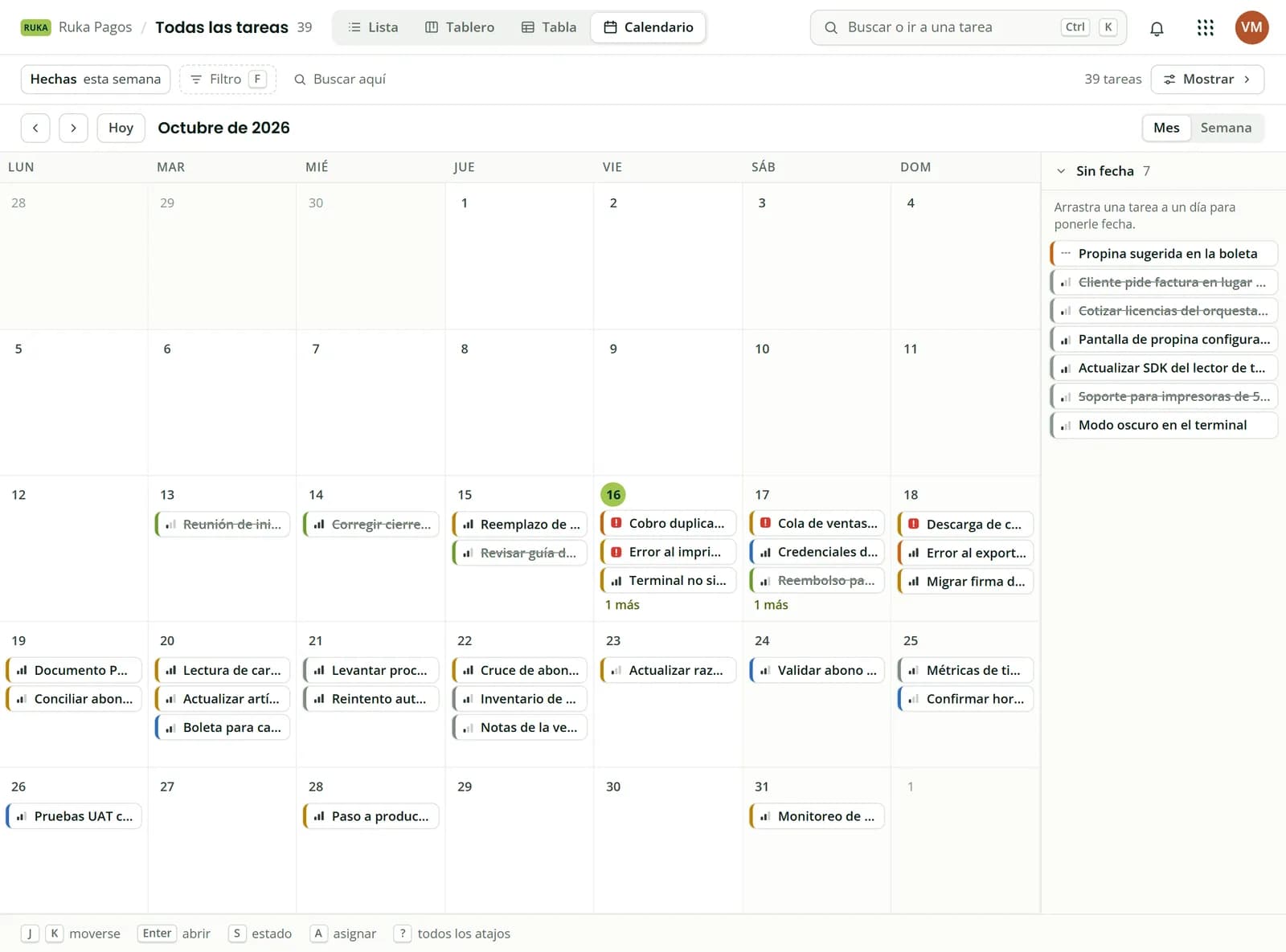
List, Board, Table and Calendar on the same tasks, on the Free plan too.
Compact rows grouped by status, to review a lot at a glance.
Columns by status. Drag a task and its status changes.
One column per property, in-cell editing and totals at the bottom.
Tasks by due date. Drag one to another day and its date changes.
Projects that go beyond software
Each type comes with its statuses ready: RPA runs from discovery to hypercare, and Support has Waiting on customer.
Not started, In progress, Client review, Delivered
General
To do, In progress, Done
GitHub, both ways
Link a project to a GitHub project and what you change on one side shows up on the other. If the branch carries the task's identifier, or the pull request says Fixes RUKA-29, the task moves on its own. On every plan, with one Melonhelp GitHub App.
Melonhelp Tasks
RUKA-29
Reintento automático al perder la red
In progress
GitHub Projects
Draft
Reintento automático al perder la red
In Progress
Synced both ways
Title
Description
Status
Date
Archived
And from GitHub, the assignee and labels of issues
Pull requests that move the task
Branch: ruka-29-automatic-retry
You open the pull requestIn progress
You request a reviewIn review
You merge itDone
Bring your work from Trello or a CSV
One or all of your Trello boards, or the CSV that Jira and Linear export. Tasks suggests which column maps to each field.
A CSV exported from Jira
CSV column
Field in Tasks
Issue key
Identifier
Summary
Title
Status
Status
Priority
Priority
Due date
Due date
Labels
Labels
Import the same file again and Tasks skips or updates what's already there, with no duplicates.
One account for the whole suite
Tasks uses the team from your Melonhelp account, the same one as Tickets, Feedback and Agents. Already paying for one? Tasks costs half.
Tickets
Feedback
Agents
Tasks
VMBAJLMS
Your team
Tasks at half price
Your AI agents, inside Tasks
Paste the connector URL into Claude, ChatGPT or another agent, approve in your browser, and your agent reads and creates tasks. On every plan.
Connector URL
https://tasks.melonhelp.com/mcp
1Add it as a connector in your agent
2Your browser opens and you approve with your Melonhelp account
3Ask for what you need, in your own words
For example
Create a task in Terminal 3.8 to review the cash register close, high priority, for Javiera.
Remote, with OAuth: no keys to copy and nothing to install.
AI on every task
Draft a task, split it into a checklist and summarize what happened on a task or across a project. On every plan, with a monthly allowance.
Draft with AI
Split into a checklist
Summarize a task
Summarize a project
AI actions a month, per workspace
Free
50
Starter
150
Essential
500
Team
2,000
Scale
5,000
When you reach the allowance, AI pauses until next month. It's never billed separately.
And everything else, with the plan that includes it
No add-ons sold separately: each plan includes everything in the one before.
On every plan
In-app and email notifications
Recurring tasks
Similar tasks shown as you create one, without using the AI allowance
Automation, 100 runs a month on Free and 500 on Starter
Forms that create tasks, 1 on Free and 3 on Starter
Export to CSV
Saved views and custom fields
Private projects and guests
API with personal keys
From Essential
Time tracking with a timer
Timeline with dependencies
Project summary
SLAs with business hours and Inbox rules
Requests that arrive by email and Slack
Outgoing webhooks
Unlimited forms
Your own project types
From Team
Time reports by person, project and client
Dashboards and metrics
Workload per person
Read-only role
Forms with conditional logic
On Scale
Audit log
Timesheet approval
Hour banks per client
Coming soon: SAML single sign-on, on Scale and Enterprise, the bridge with Melonhelp Tickets and Melonhelp Feedback errors as tasks.
No fine print
Where Jira and Linear are better
So you choose well, this is what they do better.
Jira
A free plan for 10 users. Tasks Free covers 5.
Unlimited forms on its free plan. Tasks includes 1 on Free and 3 on Starter.
Per-project permission schemes, for large organizations.
A huge marketplace of apps and integrations.
Linear
Faster and more polished. They've worked on it for years.
Native apps for iOS and Android. Tasks is a web app that adapts to your phone.
More integrations and a bigger community.
Before you switch
The Tasks app is in Spanish for now. This page and the docs are also in English.
Coming soon: SAML single sign-on, on Scale and Enterprise, the bridge with Melonhelp Tickets and Melonhelp Feedback errors as tasks.
What you pay for there and get here
Things that need a paid plan or a per-person price on Jira or Linear.
There
Roles and permissions: on Jira, from Standard. On Free everyone is an admin.
On Tasks
Owner, admin, member and guest on every plan.
There
Guests and private teams: on Linear, from Business, at US$16 per user a month billed annually.
On Tasks
Project guests and private projects on every plan, Free included.
There
Going past 250 issues: that's the cap on Linear Free.
On Tasks
No task cap on any plan.
There
Every new person: US$9.70 a month on Jira Standard, and US$10 or US$16 on Linear billed annually.
On Tasks
US$0 up to your plan's people cap.
Tasks pricing
One flat price per team
Per workspace, not per person, in US dollars, the same in every country, before taxes.
Free
Up to 5 people and 10 active projects
The four views, GitHub, MCP and AI
US$0a month
Starter
Up to 10 people
Everything in Free, for 10 people
For 10 people
US$15a month
or US$150 a year (US$12.50 a month)
Essential
Up to 25 people
Adds time tracking, timeline and SLAs
US$39a month
or US$390 a year (US$32.50 a month)
Team
Up to 50 people
Adds reports, dashboards and workload
US$79a month
or US$790 a year (US$65.83 a month)
Scale
Up to 150 people
Adds audit log and timesheet approval
US$229a month
or US$2,290 a year (US$190.83 a month)
Billed annually, 2 months free: you pay for 10 and use 12.
If your team already pays for Tickets, Feedback or Agents, Tasks costs half.
Yes, on paid plans from 6 to 150 people, comparing the same kind of billing. With 10 people, Tasks costs US$15 a month and Jira Standard US$97, billed monthly; billed annually, US$12.50 a month against US$100 on Linear Basic. The saving depends on team size: against Jira Standard billed monthly it goes from 53.7% (51 people) to 84.5% (10 people), and against Linear Basic billed annually, from 62.5% (51 people) to 87.5% (10 people). Right above a plan's cap the saving drops: with 11 people you move to Essential, US$39 against US$106.70 on Jira. And there are two cases where they cost US$0: Jira Free for up to 10 users, and Linear Free for any number of people up to 250 issues.
Is it as fast as Linear?
Not quite, and Linear is better there. Tasks is keyboard driven (Ctrl K, J and K, S, P, A and X) and what someone else changes shows up without reloading, but Linear has spent years polishing its speed and design. Try it free with your team and decide with your own tasks.
Can I move from Jira or Linear?
Yes, with a CSV. Export your issues to CSV from Jira or Linear and in Tasks use Import tasks, From a CSV. Tasks recognizes columns by their name in English or Spanish and suggests which column maps to each field (title, description, status, priority, assignee, due date, labels and the original key, like SOP-12) and which status each value goes to. Up to 2,000 rows per file. The assignee is matched by email, and comments and attachments don't travel in a CSV. Import the same file again and Tasks skips or updates what's already there, with no duplicates. From Trello you can import one or all of your boards.
Can my AI agents use Tasks?
Yes. Tasks has a remote MCP connector with OAuth on every plan: add https://tasks.melonhelp.com/mcp as a connector in Claude, ChatGPT or another compatible agent, approve in your browser with your Melonhelp account, and your agent reads and creates tasks. AI actions (draft, split into a checklist and summarize the activity of a task or a project) also come on every plan with a monthly allowance: 50 on Free and 150 on Starter. Showing similar tasks as you create one does not use that allowance.
Does it connect to GitHub like Linear?
Yes, on every plan and through one Melonhelp GitHub App. The task moves on its own when the pull request's branch carries the identifier (for example, ruka-7-fix-pdf-export) or when its title or description says Fixes, Closes, Corrige or Cierra with the identifier (for example, Fixes RUKA-7 in the title): In progress when it opens, In review when review is requested if the project has that status, and Done when it merges. If the identifier appears without one of those words, the pull request is linked to the task but does not move it. Each project also syncs both ways with a GitHub project of your organization. What it does not do is sync directly with a repository's issues, as Linear does.
Is the app in English?
Not yet. The Tasks app is in Spanish today. This page, the docs and the rest of the site are also in English.
Do I need a card?
No. Create your Melonhelp account with your email or with Google and use the Free plan, free for up to 5 people and 10 active projects. You only pay if you choose a paid plan.
Who is behind Tasks?
Robotipy, a Chilean company that builds automation (RPA) and the Melonhelp suite: Tickets, Feedback, Agents and Tasks. You can write to Danilo Toro directly on X: @DaniloToroL.
Try Tasks with your team
Free for up to 5 people, no card needed. Bring your project from Trello or a CSV and compare with your own tasks.